
There is no app for your customers to download. They scan, type two things, and the card is theirs.
What they do
- They point the iPhone camera at your QR code and tap the link that pops up.
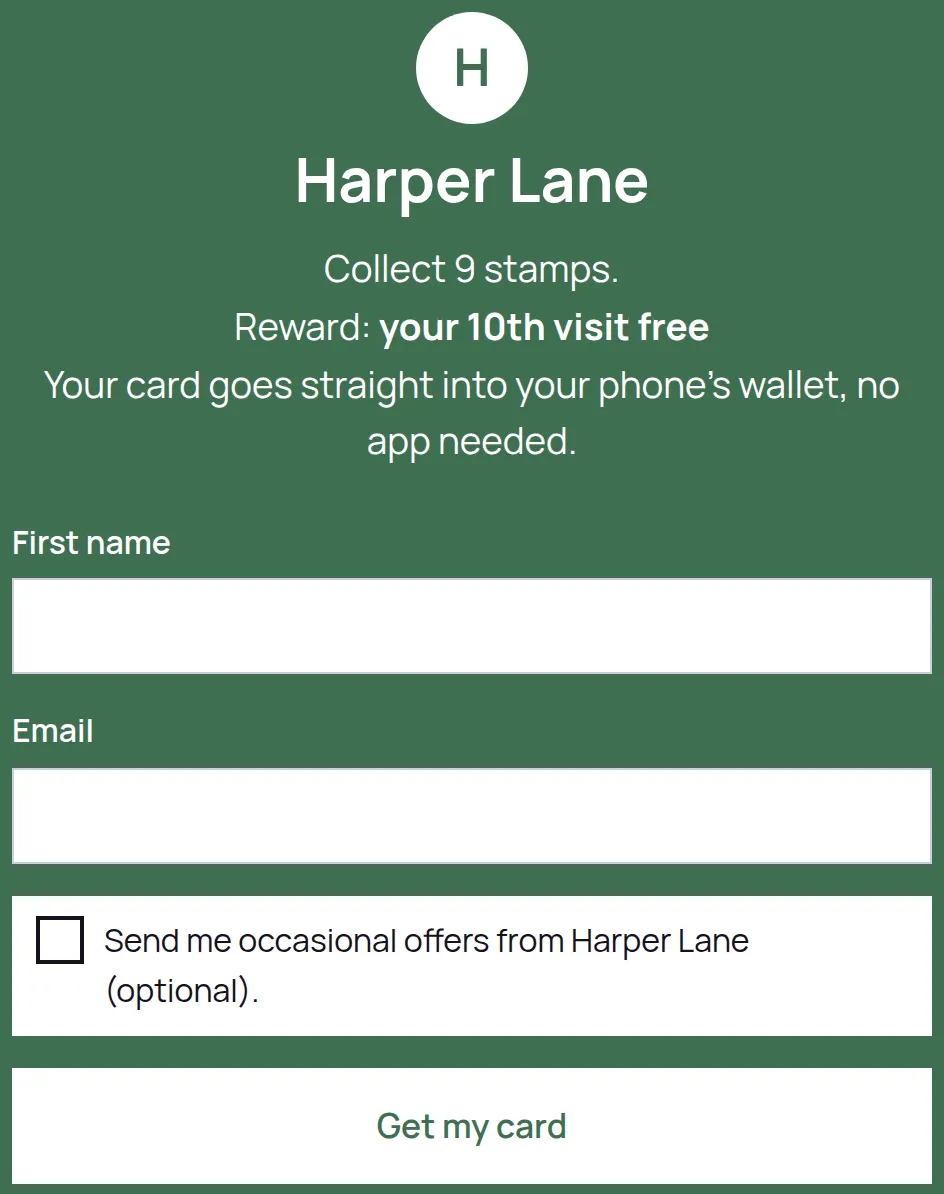
- On the sign-up page they fill in First name and Email. There is nothing else to fill in.
- They tap Get my card.
- Their card opens, with the stamp progress on it and their own QR code.
- They tap Add to Apple Wallet and then Add on the screen Apple shows them.
That is it. The card now sits in Apple Wallet alongside their bank cards and clubcards, and they show it at the counter for a stamp.
If they would rather not use Wallet
Some customers will not want another pass in Wallet, and that is fine. The card page itself is their card and works exactly the same at the counter: it has the QR code you scan and the running stamp count. Tell them to bookmark it, or add it to their home screen from the share menu, and it opens in one tap.
If they lose the page
They scan your QR code again and sign up with the same email address. LoyalPack recognises them and takes them back to the card they already have, with their stamps on it. It does not create a second card, so there is nothing to tidy up afterwards.
We do not email customers their card. Scanning your code again with the same email is the way back to it. On a Program that does not collect an email address there is nothing to recognise them by, so scanning again gives them a new blank card: the card page or the wallet pass is where that customer keeps theirs.