
- Open LoyalPack App and scan the customer's card.
- Check the name that comes up is the person in front of you.
- Choose Award stamp.
- You get a confirmation, and the new count is on screen.
- Choose Scan next customer for the next one.
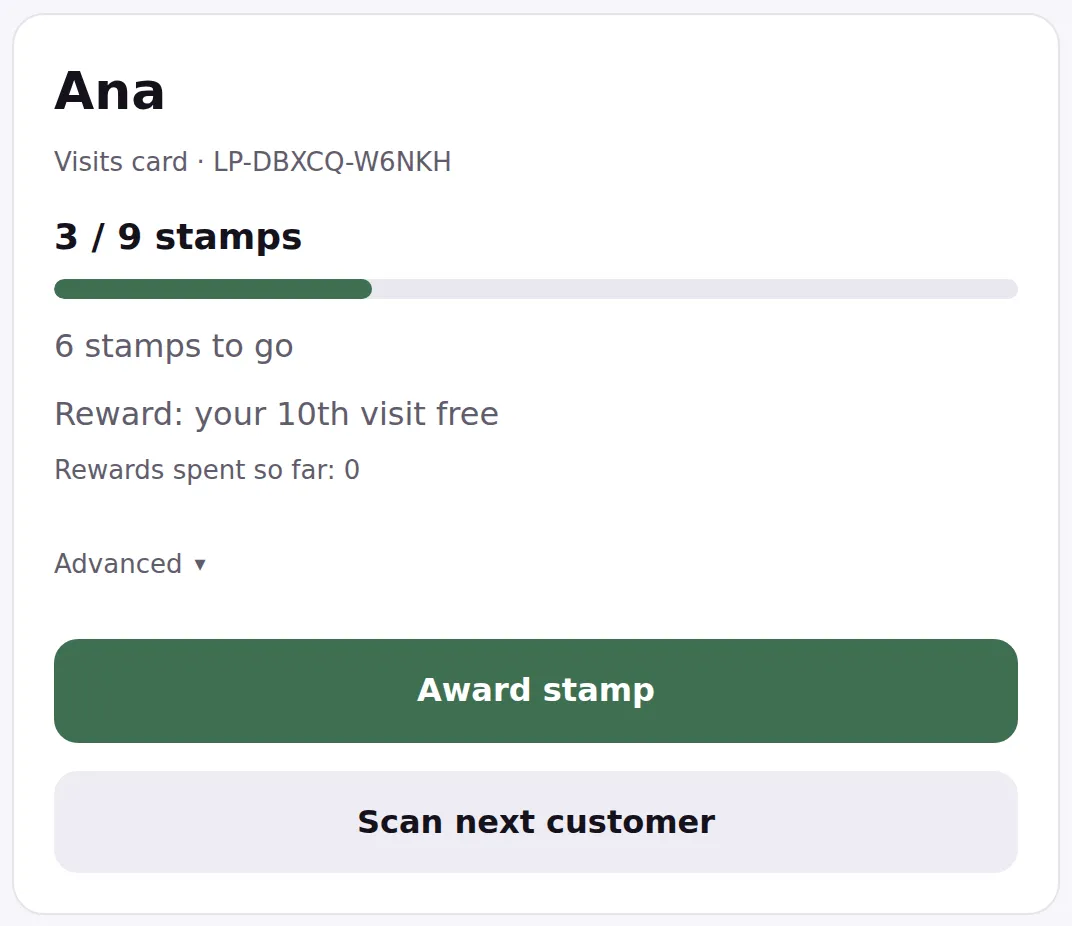
If you tap twice by accident
LoyalPack expects this. A second tap on the same card a moment after the first is treated as the same stamp, and the screen tells you it was already counted. The customer is not stamped twice.
Two genuine purchases in quick succession are a different matter, and both stamps go on. Leave a couple of seconds between them and you will see the count move each time.
Several stamps for one larger purchase
Under Award stamp there is Advanced. Open it, set how many stamps this purchase is worth, and the button carries the number so you can see what you are about to add. It goes from one up to a whole card, whatever is already on this one.
It does not matter if that takes them past the end of their card. The reward they just earned is saved for them, the stamps left over start their new card, and the screen tells you both. Somebody on eight of nine who buys three gets their reward put aside and a new card reading two of nine.
If they want the reward there and then, it is waiting on the same panel: choose Spend saved reward and hand it over.
If the card is already full
A full card will not take a plain stamp. You get the two buttons instead, Spend reward and Not this time, because a finished card is a question for the customer rather than something to tap past. Advanced still works here, and it belongs to Not this time: set three, and the reward is saved while their new card starts on three stamps.
Spend the reward instead, and the card starts again from empty, ready for the next stamp.
There is no limit on how many cards you scan or stamps you add, on any plan.